Contact Us - support@bidsoflo.com
Follow us on FACEBOOK
____________________________________________________________________
 ***NOW HIRING***
Warehouse Helpers(3) and Lotters/Catalogers(3)
Bonus Program Available after 60 days - Overtime pay after 32 hours work week
40+ Hours Available, Must Have Reliable Transportation, Team Oriented Fun Hard Working Attitude, Weekly Pay
To Apply - send your resume to support@bidsoflo.com
____________________________________________________________________________________________________________________________________________
 Auctions
/
EXTENDED - Soflo Bid and Drive - 1a0126 - 0126
Auctions
/
EXTENDED - Soflo Bid and Drive - 1a0126 - 0126
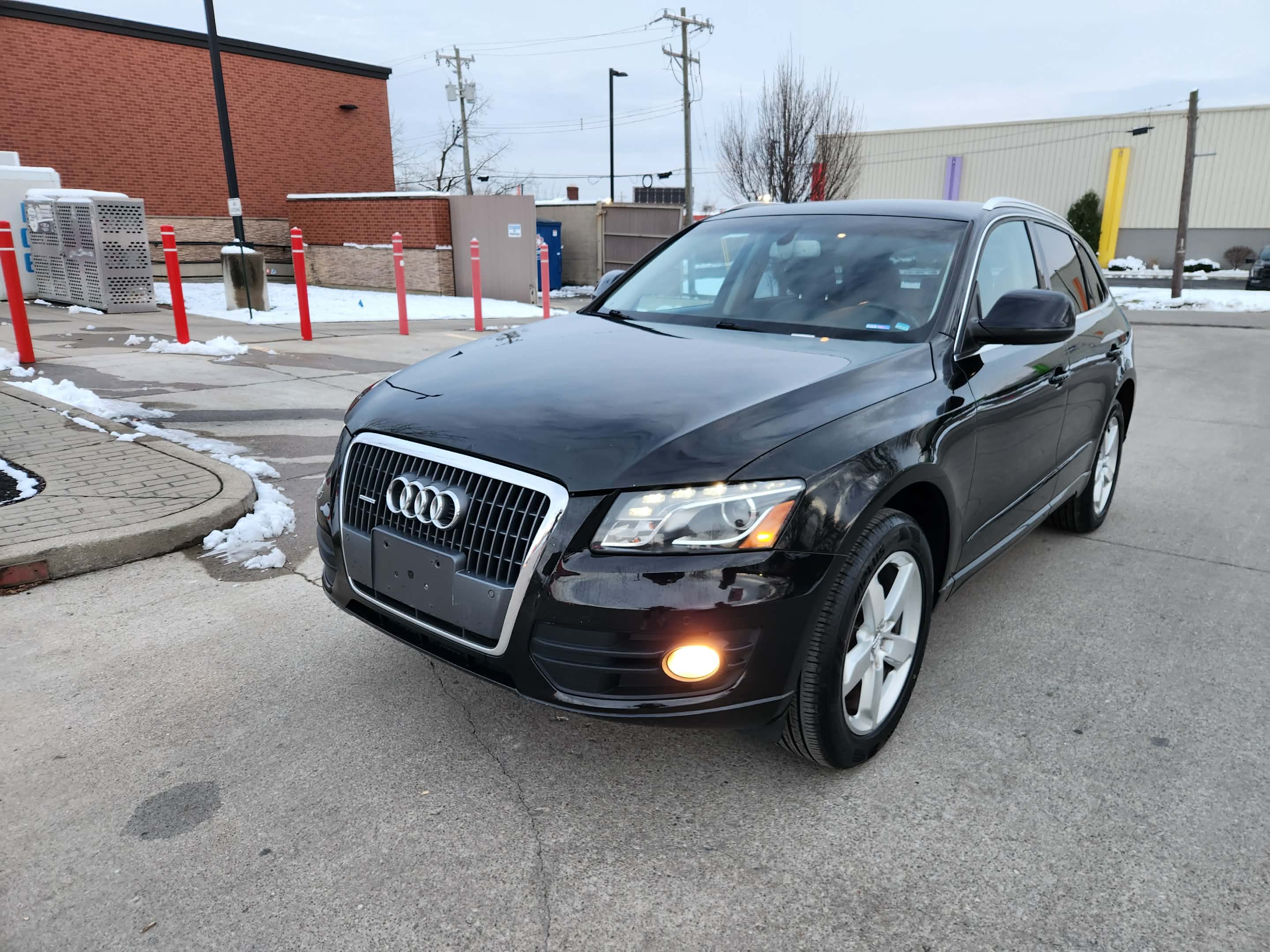
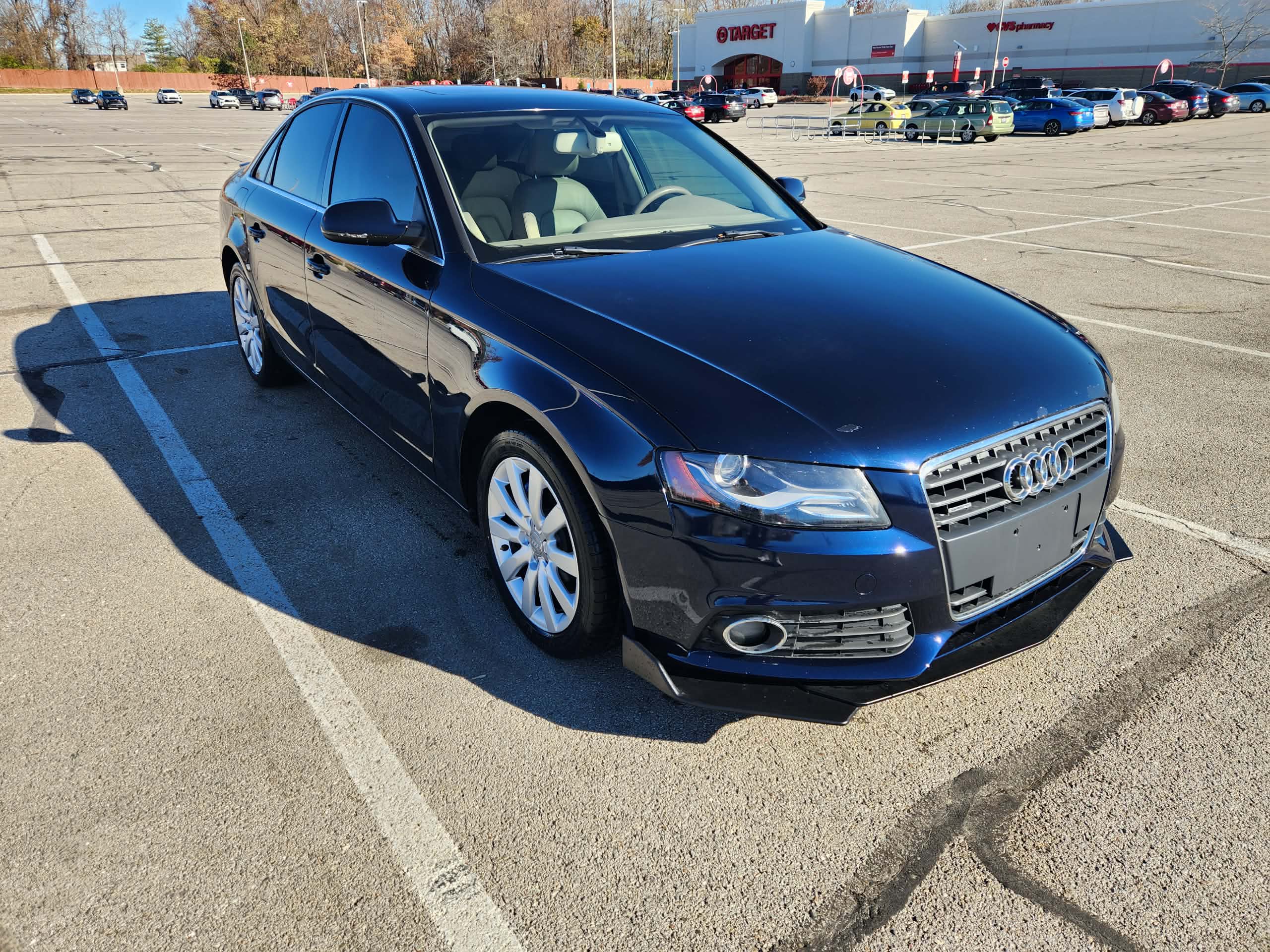
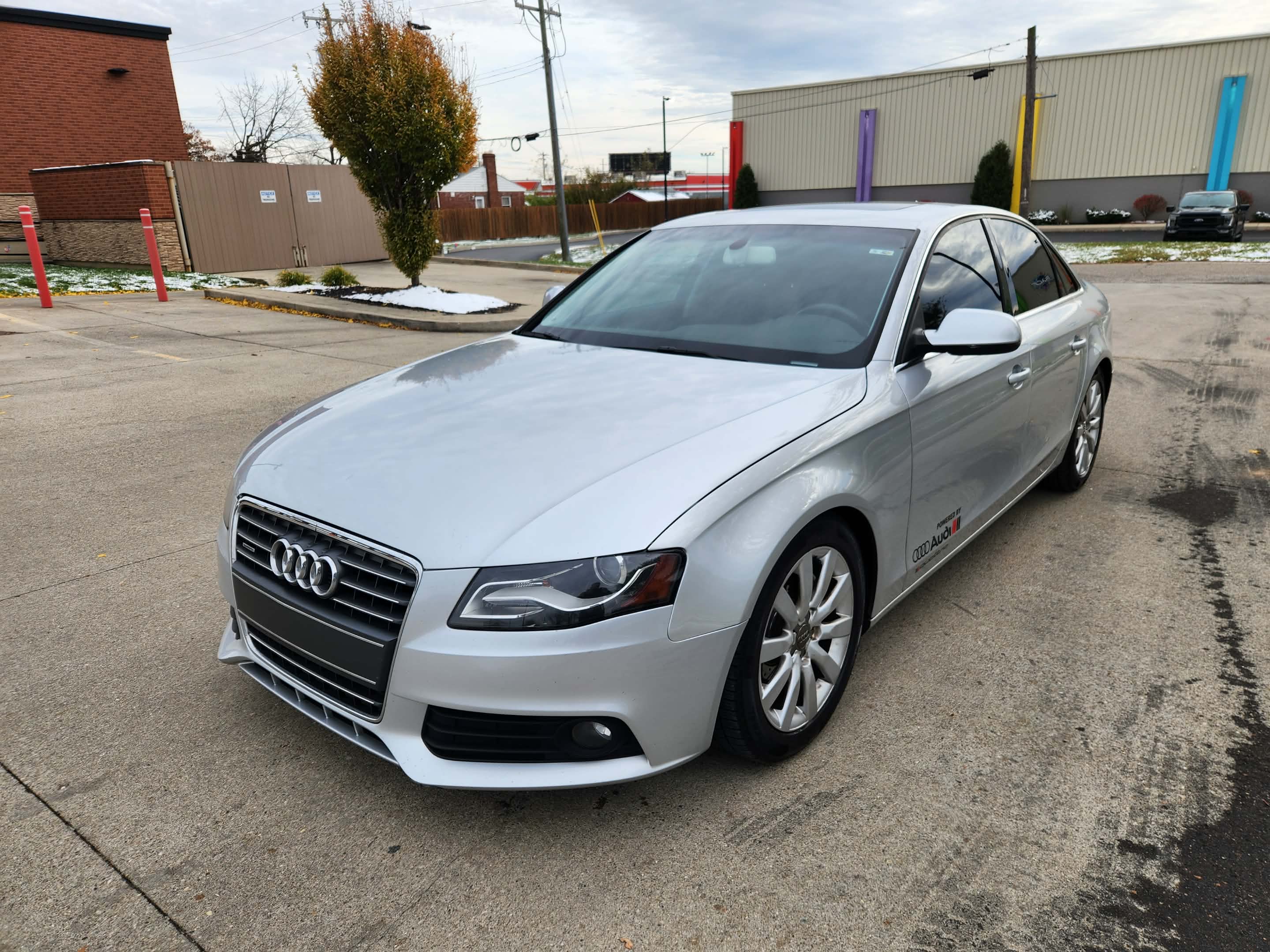
Starts
: Dec 29, 2025 06:57 PM
Ends
: Jan 14, 2026 08:03 PM

5 Items
- Ends: Wednesday 01/09 2026 at 9:00pm EST
- Preview: By Appointment ONLY - schedule an appointment with support@bidsoflo.com
- Removal:TBA
- Location: SoFlo Liquidations at 9531 Colerain Ave. Cincinnati, OH 45251(Macy’s Building)
Highlights: SUV 2012Audi Q5, 2011 Audi A4 Quattro 2.0T, 2010 Audi A4 2.0T Quattro - all are having Clean Ohio Title and No Issues - with 30 days Warranty - PREVIEW/TEST DRIVE AVAILABLE BY APPOINTMENT ONLY - support@bidsoflo.com
How to Bid
Bidding with Soflo doesn’t need to be difficult:
- Please read the TERMS and DETAILS on our website and make sure you understand them before pacing any bid(s).
1. Proceed to the registration page and provide all the accurate information:
-email address
-name
-billing address (has to match the credit card info you are registering with)
-phone number
-credit card information
-Please choose your own PASSWORD in the beginning and REMEMBER it.
*** Once you have completed the registration form, you will automatically receive an email with your BIDDER NUMBER. This BIDDER NUMBER will be your permanent bidder number for all of our auctions on our website; you DO NOT have to register for every single auction.
*** You can use your e-mail address to substitute your bidder number
2. When on our HOME page Click on the big blue box [ENTER AUCTIONS]. You will see all of our auctions. Each auction has its own TERMS and DETAILS. Important information are to include:
-time and date the auction ends
-times for PREVIEW and REMOVAL
-Soflo HIGHLY RECOMENDS that all of our customers utilize the PREVIEW in order to physically check the item(s) you would like to bid on and its condition. In case you are already the higher bidder for an item and after PREVIEW decide you do not like it, immediately contact us at support@bidsoflo.com, so we will delete your bid(s) before the start of the auction closing.
3. From the Auction Page, click Login/Register on the upper right hand corner. Next Click the blue button [VIEW ITEMS] of the desired auction
***The Pop-Up Window will open with the Terms and Details of the auction, Read the Terms and Details by Scrolling Down to check the Check Box – [v] – I have read the Terms & Conditions agreement, click [Accept & Continue] ***
-Choose item you want to bid on, the next bid required will be shown in the blue box [BID NOW]
-Click the Blue Box – [BID NOW]
- A Pop up window will open where you enter the required bid and/or max bid
-Once you are satisfied with your entries click [PLACE BID]
-“Your BID” – you can place any bid you would like that is higher or at least equal to
the required bid
-“Your MAX BID” – you can place the maximum amount for an item you are willing to
pay. Your MAX BID amount will not be visible to any bidders bidding. “MAX BID” is
optional, you can leave it blank if you would like.
*** Reminder*** - Once you’ve clicked submit you are agreeing with the terms of the auction and you are willing to pay and pick up for all of the items that have the winning bid.
Bid Notification: RED [BID NOW] – you have been outbid
GREEN [BID NOW] – you are the winning the bid
BLUE [BID NOW] – item you have not placed bid for
!!!HAPPY BIDDING!!!
-“WATCH LIST/DASHBOARD” – The Watch list can be utilized to extract items of interest from each auctions. To build your own Watch List simply click on the star of each item you would like to add to your Watch List.
Any items you place a bid on automatically will be placed to your Watch List. You may filter your items by clicking on the drop down menu of your bidder number/user on the top right hand corner and select “VIEW WATCHLIST”. Click the [FILTER] icon button on the upper right hand side in the header. A window from the right will open with options “All active” “Ended” ”Ending soon” and click [APPLY] – this will automatically display all of the Watch List items for the selected parameters.
-“WRONG BID” – Example: Placing a $100.00 bid when trying to place a$10.00 bid, immediately contact us via email to support@bidsoflo.com with your bidder number, name of the auction, when and what time the auction ends, so we may address it as soon as possible.
-“OUTBID” – If you have been outbid for an item(s) you will automatically receive an email confirmation of what item(s) you have been outbid on, or the Button of the item will be in RED
*** - auto email notifications stop being generated day of sale.
-“INVOICE” – After the auction close you will receive an email, you must log in with your Bidder number and Password. Click on the Bidder Profile, will open a Basic Information, click on the Invoices tab and it will display all of the invoice/s confirmation of the item(s) you have won along with location and time of removal.
-“Buyer’s Premium” – The buyer’s premium (unless otherwise stated in the terms of an auction) is 18% and added on your bid total. Example: if your bid total is $100.00 you will be charged $118.00
-“Sales Taxes” – Sales Tax of 7.8% (per Hamilton County, OH) will be add to the purchase unless tax exempt. Any tax exempt forms must be submitted along with the bidder number and auction name to: support@bidsoflo.com prior to the start of the auction.
-“Payment” –Credit cards will be run next day after the auction has ended at 4PM EST and paid in full invoices will be emailed. ***You can make arrangements by sending the requests to pay at Removal along with full invoice/s number to support@bidsoflo.com. All requests must be e-mailed with a timestamp before 4PM EST.
We accept: Visa, MasterCard, AMEX and Discover.
Personal/Business checks are not accepted. Once payment is complete we will send you, via email, a paid in full invoice. – PRINTED FULL INVOICE with valid ID (upon request) or payment rendered at Removal are the ONLY ways to obtain items. If you do not receive your invoice of your winning items or have questions on payment, please contact: support@bidsoflo.com
Thank you for bidding with us!
-SoFlo Support Team
THIS IS AN INTERNET ONLY AUCTION.
Terms of Auction:
***Auction closing date: This Auction Closes Wednesday 01/14 at
9:00pm EST.
***Shipping Is NOT available
***Please note: items are sold AS IS - Where IS
***Please use PREVIEW - contact support@bidsoflo.com for more information All sales are FINAL, no exchanges or refunds will be issued.
*** 30 Day Warranty has been provided to all vehicle by the Seller
***Pickup/Removal: Printed PAID in FULL Invoice Copy with valid Driver’s License, are the ONLY ways to obtain items. All items must be picked up on the scheduled removal dates.
This
is an ONLINE ONLY AUCTION! PLEASE DO NOT
BID IF YOU ARE NOT ABLE TO PICK UP YOUR ITEMS DURING THE SCHEDULED REMOVAL
TIMES. NO REFUNDS WILL BE GRANTED DUE A MISSED REMOVAL AT THE DESIGNATED TIMES.
***BUYERS PREMIUM: A 10% buyer’s premium will be added to each purchase. If you bid $100.00, upon winning of said item you will be charged $10.00.
***SALES TAX: Ohio Sales Tax (Hamilton County – 7.8%) will be added to the invoice total.
***PAYMENT: Credit Card or Cash are due on 1/8/26 at 4pm - Card on the file or Cash (by emailing support@bidsoflo.com)
***Staggered Closing: The online auction closes 1 item per minute. This Auction will close the bidding on intervals in accordance with the chronological lot order. 1 item per minute unless dynamic closing takes precedence and the extension of time governs close.
***Dynamic Closing: The closing time of an asset is automatically extended an additional 3 minutes whenever a bid is placed within the last 3 minutes of the asset's closing time and will continue until no winning bid has been registered in a period.
Bid Notification: RED – you have been outbid
GREEN – you are the winning the bid
BLUE – item you have not placed bid for
***REMEMBER: YOU ARE BIDDING FOR THE ITEM DESCRIPTION NOT FOR THE PICTURE – THE PICTURES ARE COURTESY
All of the customers must be 18+ years old